AudioBuff
Ready the moment you open it. 8-band EQ, loudness normalization, high-quality export — plus Whisper transcription. All in your browser. No install needed.
Everything in Your Browser
Professional audio tools, no download required.
Zero Install
Runs entirely in your browser. No downloads, no accounts. Just open the URL and start.
8-Band EQ
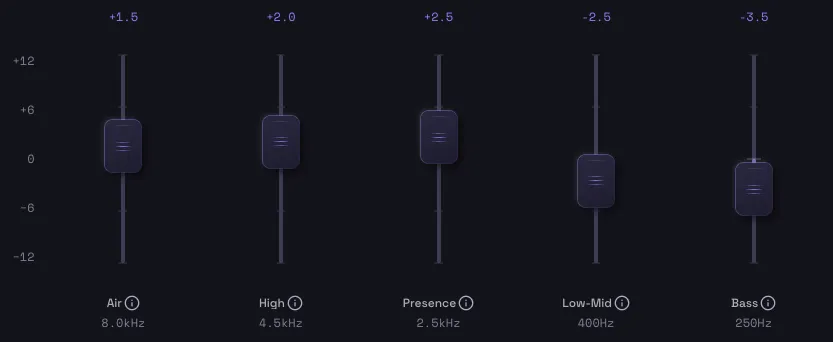
6 peaking bands plus high & low shelves. High pass filter included. Pick a preset for instant results.
Polished Loudness
Compressor smooths out volume swings, then loudness is auto-normalized to Spotify, YouTube, or Apple Podcasts targets. Consistent, platform-ready audio.
Cut What You Don’t Need
Auto-detect and cut silences over 2 seconds. Or trim manually on the waveform with fade in/out. 500ms padding keeps speech natural.
Transcription (Whisper)
Runs OpenAI Whisper in your browser. Japanese & English supported. Export as SRT, VTT, or TXT — and cut unwanted segments with one click from the transcript.
Voice Generation (Beta)
Clone a voice from 10–20 seconds of reference audio using Chatterbox in your browser. Generate speech from text and finish it with EQ in the same tab.
High-Quality Export
Export as MP3 (up to 320 kbps) or WAV. Batch process multiple files and download at once.
Before & After Compare
Toggle between original and processed audio in one click. Hear the difference instantly.
No Limits, Totally Free
No file size limits. No usage caps. No watermarks. Commercial use welcome. Free forever.
Privacy First
No Server Upload
Your files never leave your device. All processing happens locally in the browser.
Local Processing
Audio processing runs on Web Audio API; transcription on WebGPU/Whisper; voice generation on Chatterbox — all in-browser. No internet needed after the first model download.
No Account Required
No sign-up or login needed. Just open the URL and go.
FAQ
Is AudioBuff free?
Yes, completely free. No account, no credit card required. Commercial use is welcome.
Are my audio files uploaded to a server?
No. All processing happens entirely in your browser. Your files never leave your device, ensuring complete privacy.
What audio formats are supported?
Input: MP3, WAV, OGG, FLAC, AAC, MP4. Output: audio as MP3 (up to 320 kbps) or WAV; transcripts as SRT, VTT, or TXT.
How does transcription work?
OpenAI’s Whisper model runs directly in your browser. The model is downloaded and cached on first use, then works offline afterward. Your audio never leaves your device.
What languages are supported? How accurate is it?
Japanese and English. Accuracy depends on audio quality and speaking speed. Choose between a standard model (whisper-small) and a higher-accuracy model (large-v3-turbo). WebGPU-capable devices get even faster performance.
Can I cut unwanted segments from the transcript?
Yes. Each transcribed segment has a scissors button — one click marks that span to be removed from the exported audio. Great for cutting fillers and dead air.
How does voice generation work?
Resemble AI’s Chatterbox model runs entirely in your browser. Clone a voice from 10–20 seconds of reference audio, then generate speech from text. The model is downloaded once (~1.5GB) and cached for offline use. Neither your audio nor text is sent to any server.
What languages does voice generation support? Any caveats?
English only for now (Beta). Every generated clip includes the Resemble Perth watermark so it can be verified as AI-generated later. Please use only your own voice or audio you have explicit permission to clone.
What is EQ?
An equalizer (EQ) lets you adjust the balance of different frequency ranges. It can clear up muddiness, add warmth, or sharpen clarity. Just pick a preset — no technical knowledge needed.
Does it work on mobile?
Yes, AudioBuff is optimized for mobile browsers. It works on both iPhone and Android.
What can I use it for?
Podcasts, music, video narration, voice memos, streaming audio — any audio content that needs polishing.
Buff your audio. Right now.
No download. No account.